A WordPress agency trial is a workflow test, not a feature tour
Hosting demos and plugin sandboxes do not test the change-request loop. Here is how to spend a 14-day agency trial without giving a tool production.
Search for "WordPress agency software trial" and you get hosting demos, plugin roundups, and 14-day WordPress.com upgrades.
That is the wrong test.
A hosting trial tells you whether a site boots. A plugin trial tells you whether a settings screen loads. Neither one tells you whether a vague client ticket — "the hero feels off" — can leave production untouched until someone accountable says so.
If you manage retainers, the trial that matters is a workflow test. Connect a real site. Run a real change request. Look at a staging preview. Approve or send it back. If you still have to rebuild the page in the builder afterward, the trial failed. Walk away.
What the current results actually rank
The first page for agency-software trials is a pile of adjacent answers:
- WordPress.com and builder sites offering a free trial of hosting
- "Tools every agency should use" lists (MainWP, Elementor, backups)
- Training kits and YouTube setups
- Generic website-builder comparison pages
None of those pages ask the retainer question: can a junior teammate or an account manager review a change on a copy of the live theme, and can publish stay a separate click?
That is the gap. Editorial-workflow posts (Pressable, PublishPress, Edit Flow) cover writers assigning posts. Staging how-tos cover developers cloning a site. Ticket templates cover capturing the request. The missing article is how to evaluate a product in two weeks without making production the sandbox.
What you are actually buying
Clients are not paying you to collect tools. They are paying you to change the site safely and quickly.
A useful agency trial therefore has to prove four things on a site you already run:
- Connect — the tool works against the live WordPress property, not a blank demo theme.
- Describe — a real ticket can be written in the client's language, and someone can point at the element if the request is fuzzy.
- Preview — the result is a URL that uses the same theme and plugins a visitor hits, not editor chrome and not a logged-in Customizer view.
- Approve — publish is a separate action. Rejecting the preview leaves production where it was.
If any of those four fail, you did not buy review capacity. You bought a faster first draft.
The economics of a failed trial
The expensive outcome is not "we didn't like the UI." It is "we still opened production."
That is how retainers stall. A senior still has to babysit the live homepage. The new tool becomes another place to paste a prompt. Scope creep does not shrink because the queue now has a chatbot in it.
A trial that works changes the cost of the next request:
- The client or AM writes the outcome once
- Someone inspects a preview instead of reconstructing the page
- A named person approves
- Rollback is a first-class action, not a restore ticket
You are not removing humans. You are removing unreviewed production edits. That is the same argument as adding retainer capacity without hiring — the trial is how you find out whether the loop is real before you add the tool to every site.
A 14-day checklist (use a real ticket)
Do not evaluate on a fake "update the copyright year" task. Pick one request from last month that actually burned review time.
Day 1–2 — Connect one property. Prefer a site with a real theme, not a sandbox install. If the product cannot see the live templates, stop.
Day 3–5 — Run the ugly ticket. "Swap the hero" with no screenshot. Use element targeting if the node is ambiguous. If the only path is "open the editor and hope," the trial is already over.
Day 6–8 — Review like a client. Open the preview logged out. Check the breakpoint that usually breaks. Ask whether you would send this URL to the client, or whether you would still rebuild it in Elementor.
Day 9–11 — Reject something on purpose. A preview you cannot send back is a draft with extra steps. Confirm publish did not happen.
Day 12–14 — Decide with the loop, not the feature list. White-label, roles, and reporting matter after the workflow works. They do not rescue a tool that still needs a senior in production.
Compare that to how agencies already handle change requests. The trial should fit the loop you already require internally — describe, preview, approve — not replace it with a chatbot that publishes.
What to refuse
Walk away if the trial requires any of these:
- A credit card and production access before you have seen a rejectable preview
- A demo site that does not use your client's theme
- "Preview" that is editor Preview, the Customizer, or a Slack screenshot
- Publish bound to the same click as generate
- No way to name the element that will change
A 14-day clock does not make those acceptable. It just makes the mistake faster.
Where Backbone fits
Backbone's agency trial is built as that workflow test: connect a WordPress property, describe a change the way a client would, inspect a staging preview, approve or send it back. The live site stays put until someone accountable says so.
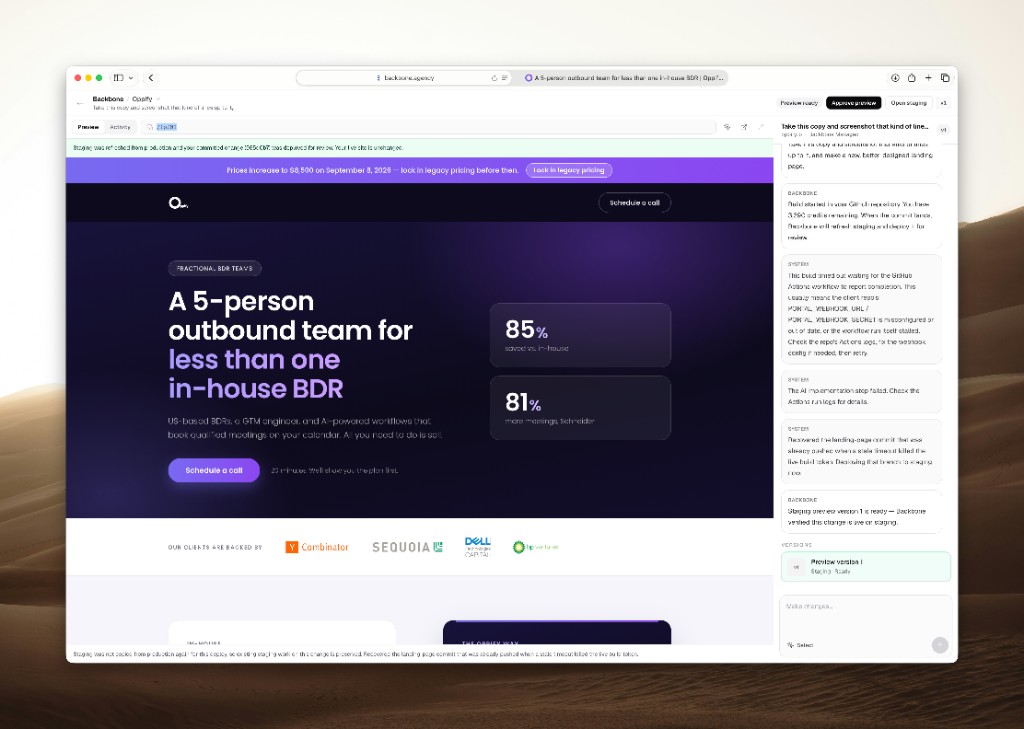
That is the same mechanism we used on real SPYCE-managed work — a logged-out Junto header correction, an Oppify outbound landing page that existed as a preview before production moved. Those are delivery corrections, not testimonials. Run your own ticket.
If the loop does not fit how you already run retainers, do not buy it. The trial worked: it told you the truth in two weeks instead of a quarter of cleanup.
Ready to try the review loop on a real site?
Start a free agency trial, or go back to the blog index.