WordPress preview is not approval — pick the element, then gate publish
Editor Preview, the Customizer, and a host staging clone are not an approve-before-publish workflow. Here is the loop agencies need for vague change requests.
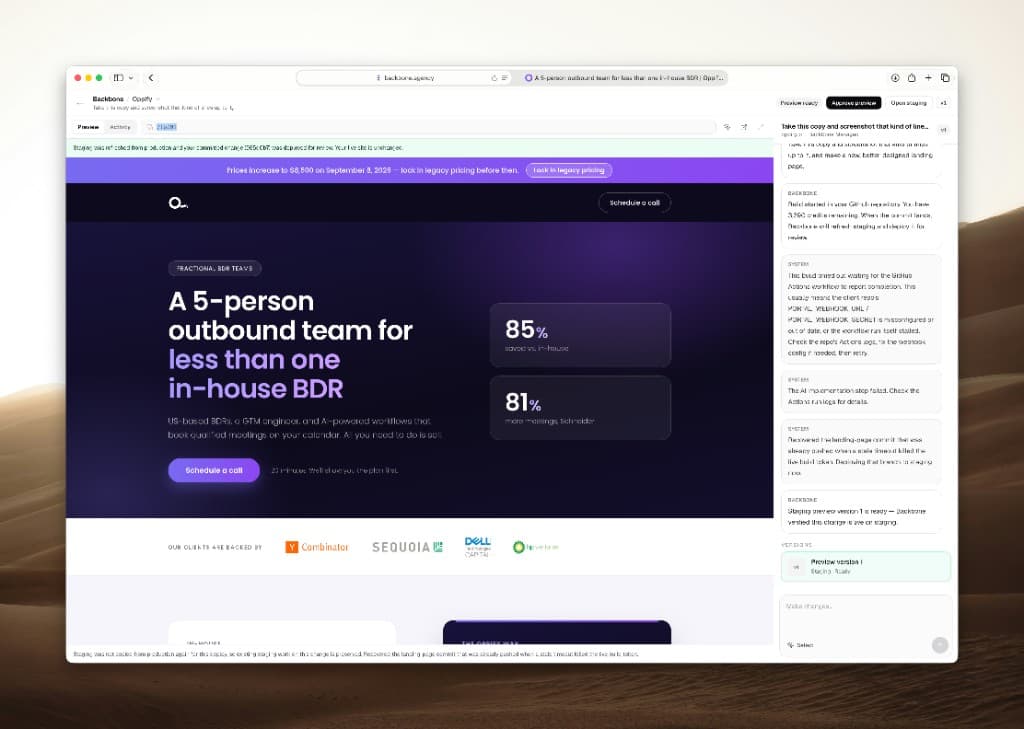
Most WordPress agencies already say they "preview before they publish."
What they usually mean is one of four tools that do not actually gate production:
- Editor Preview — the post you already have open, in the editor chrome, often logged in as you
- Customizer — theme options, not the logged-out homepage a prospect hits
- A coming-soon plugin — the whole site hidden, which is launch theater, not a change-request review
- A ticket comment — a screenshot in Asana, Slack, or email that is already stale by the time someone clicks Update
Those are not an approval workflow. They are faster first drafts with the same production risk you already had.
Search results for this topic are still a pile of "how to set up a staging site" guides. None of them connect staging to a client-facing preview you can reject. That is the agency problem. Host clones help developers push a release. They do not help an account manager review "the hero feels off."
What a staging site actually is — and what it is not
A staging site is a copy of production: the same theme, plugins, and content, running somewhere that visitors cannot see. That is useful. It is also incomplete.
Staging answers "can a developer test a deploy?" It does not answer:
- Which node on the live page is this ticket about?
- What will a logged-out visitor see after the change?
- Who is allowed to say the preview is good enough to publish?
- Has publish already happened?
If anyone on the team can push staging to live without a named approve step, you have a clone. You do not have a review loop.
WordPress core does not ship that loop. There is no built-in "require approval before this page edit goes live" switch for a typical agency retainer. Plugins that share unpublished posts help writers. They do not point at a hero on a live page and hold production until someone accountable clicks approve.
Why editor Preview keeps lying to you
Editor Preview shows the document you already have open. It does not reliably show:
- The logged-out header (the Junto case is the textbook version)
- Cache layers and optimization plugins
- Theme templates that wrap the post
- Visitor state — cookie consent, geo, membership
That is why "it looked fine in Preview" is a common Friday sentence. The Customizer has the same problem in a different costume: it previews theme settings, not the change request sitting in your inbox.
A host one-click staging environment is closer. It still fails the agency test if the only people who can open it are developers, and the only action after "looks good" is an irreversible push.
Vague tickets need an element, not another paragraph
The change request that burns the week is almost never the hard one.
It is "the hero feels off" with no screenshot of which hero, on which breakpoint, for which visitor state. Someone opens production and guesses. Or they paste the ticket into a chatbot and hope the model invents the right block.
The missing first step is point at the node on the real page.
In Backbone that control is Select element. It opens the live page, lets you click the heading, button, or section the client meant, and attaches that selection to the request. The prompt can stay short because the target is no longer ambiguous.
That is the opposite of a coming-soon wall or an Asana comment. The review starts from the page visitors already see.
The loop: select, preview, approve, then publish
Treat the change like a pull request for the website:
- Describe the outcome in plain language ("Swap the spring promo hero and keep the phone number").
- Select the element on the live page when the ticket is fuzzy.
- Share a staging URL, not a screenshot. The reviewer should click the same page a visitor will hit — logged out, same theme, same plugins.
- Approve preview as its own action. Reject it if the hero is wrong. Production does not move.
- Publish only after someone accountable signs the preview.
Approve and publish are different buttons. A preview that cannot be rejected is a draft with extra steps.
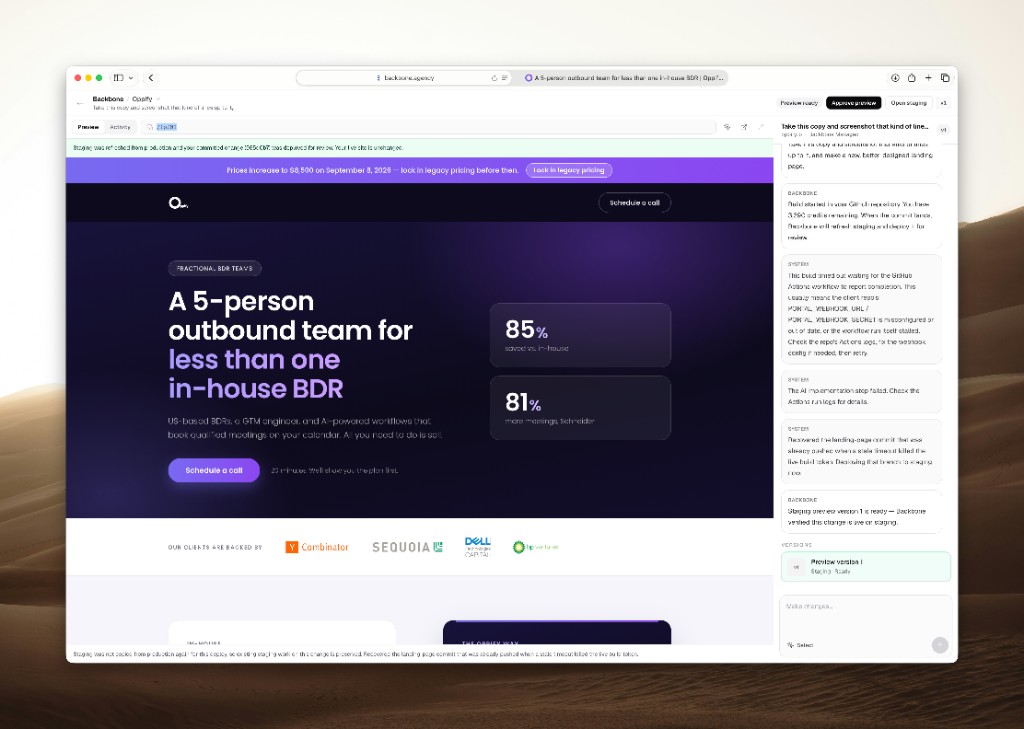
Oppify Consulting is the named proof we already shipped: a full outbound landing page landed as a staging preview of their real WordPress site. A human hit Approve preview. The live site stayed put until then. The useful part was not that a prompt could draft sections. It was that the output was reviewable on the real templates.
That article is here: one prompt, a real landing page, and a staging preview to approve.
How this differs from "push staging to production"
The ranking guides walk through host staging, plugin clones, local Docker, and WP-CLI pushes. Those are release tools. They matter for theme upgrades and PHP version changes.
They are the wrong unit of work for a retainer ticket.
A change request is usually one section, one banner, one cookie bar — CP Digital's consent work sat on every page and still should not have been a live CSS experiment. You do not need a full environment promotion for that. You need a faithful preview of the affected page and a person who can say no.
If your only safe path is "spin a staging site, do the edit, push the whole site," every small request becomes a deploy. That is why seniors stay in the queue.
Common mistakes that look like a workflow
Approving from screenshots. A PNG in Slack is not the logged-out page. It hides breakpoints, cache, and visitor state. If the reviewer cannot open a URL, they did not review the change.
Letting staging drift. A clone that is three weeks behind production will approve a layout that does not exist on the live site. The preview has to match the theme and plugins visitors already hit.
Skipping sign-off on "small" tickets. The hero swap before Monday is the one that takes the homepage down. Explicit approve is the cheap step. A Friday restore is not.
Treating editor Preview as client review. Sharing an unpublished post link can help writers. It is not the same as a staging copy of the live page. Clients sign off on what visitors will see, not on the block editor chrome.
What to refuse
Say no to a workflow where:
- Publish is the same click as "looks good in the editor"
- The preview is logged-in wp-admin
- Nobody can name the element that will change
- The client reviews a screenshot instead of a URL
- Rollback is a restore ticket
If you cannot answer "what exactly will change on the live site?" before publish, you do not have approval. You have optimism.
Frequently asked questions
Is a local development environment the same as staging? No. Local is for developers. Staging is a copy of production that a client or account manager can open without installing anything. Approval happens on the staging URL.
Should the staging copy be indexed? No. Keep robots and noindex on the clone. The live site is the only URL that should rank.
How many staging environments does an agency need? One faithful copy per client site is enough for change requests. Extra environments help when a theme upgrade and a retainer ticket would collide. They do not replace the approve button.
Soft next step
If your team still reviews WordPress edits in editor Preview, the Customizer, or a Slack screenshot, the bottleneck is not writing. It is the missing gate.
Start a free agency trial, connect one site, and run a real request through select → preview → approve. If that loop does not fit how you already run retainers, walk away. The safe AI WordPress edits piece is the same argument from the model-risk side.
Ready to try the review loop on a real site?
Start a free agency trial, or go back to the blog index.