Cookie consent on a live WordPress site without guessing in production
A Coalition cyber insurance scan flagged Google Analytics running without consent. Here is how CP Digital got a working cookie banner through preview, approve, and publish — without removing either measurement ID.
Compliance tickets are the worst kind of WordPress change request.
They are not "make the hero punchier." They are "your client's cyber insurer says Analytics is firing before consent, and the renewal depends on fixing it." The site still has to look like the client's brand. Tracking still has to work after Accept. And nobody wants to debug a half-broken cookie banner live on Monday morning traffic.
That is exactly the change CP Digital Office Solutions needed.
What the scan actually found
A Coalition cyber insurance scan flagged privacy issues on the live site: Google Analytics was measuring before visitors opted in.
The client had two GA4 measurement IDs in play. Both belonged to them. This was not an analytics health problem, and removing either ID would have broken reporting the client still needed.
The job was narrower and harder:
- Stop non-essential measurement until consent
- Keep essential site cookies working
- Present a clear Accept / Reject / Manage choice
- Ship it without a production gamble
Why this is a preview problem
Cookie banners sit across every page. They touch third-party scripts, theme templates, and legal copy. The failure modes are immediate:
- Banner CSS fights the footer or sticky header
- Reject still loads Analytics
- Accept works once, then a plugin re-injects the tag
- Policy links 404 because someone hardcoded a staging URL
You cannot validate that in a ChatGPT paste or a blind wp-admin edit. You need a real site copy, a real logged-out view, and a deliberate publish step.
What shipped
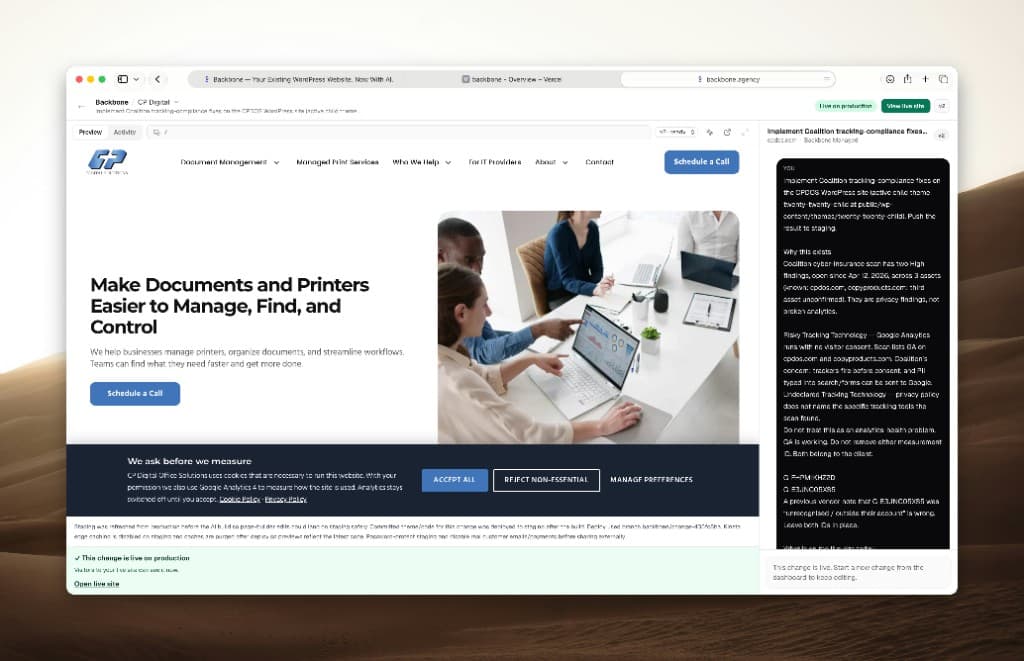
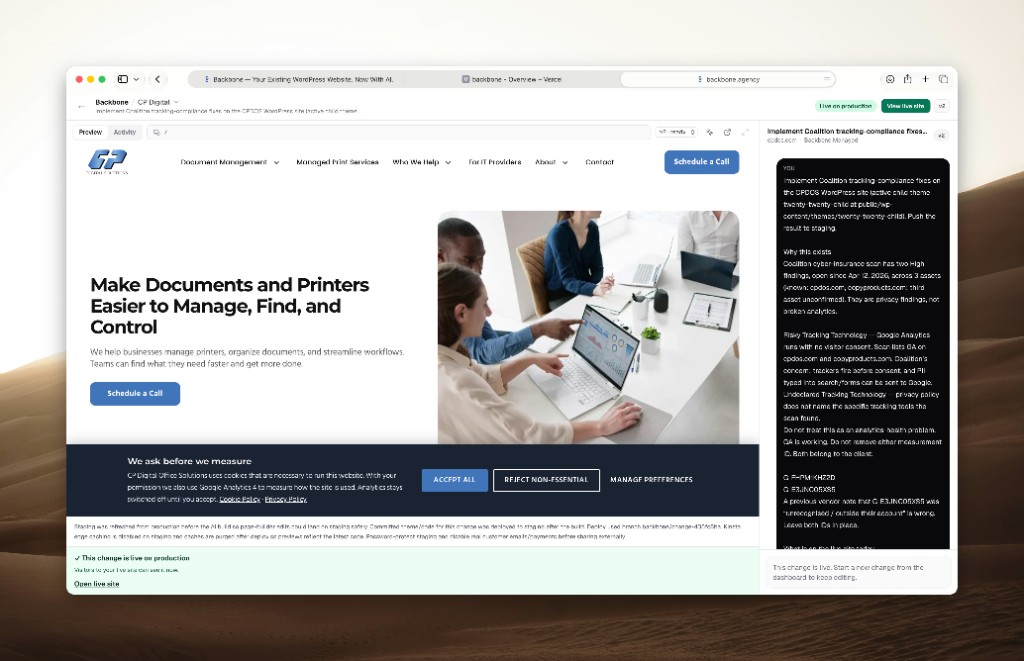
On CP Digital, the live site now shows a consent bar before Analytics measures:
"We ask before we measure" — necessary cookies stay available; GA4 stays off until the visitor accepts. Reject non-essential and Manage preferences are first-class actions, not buried toggles.
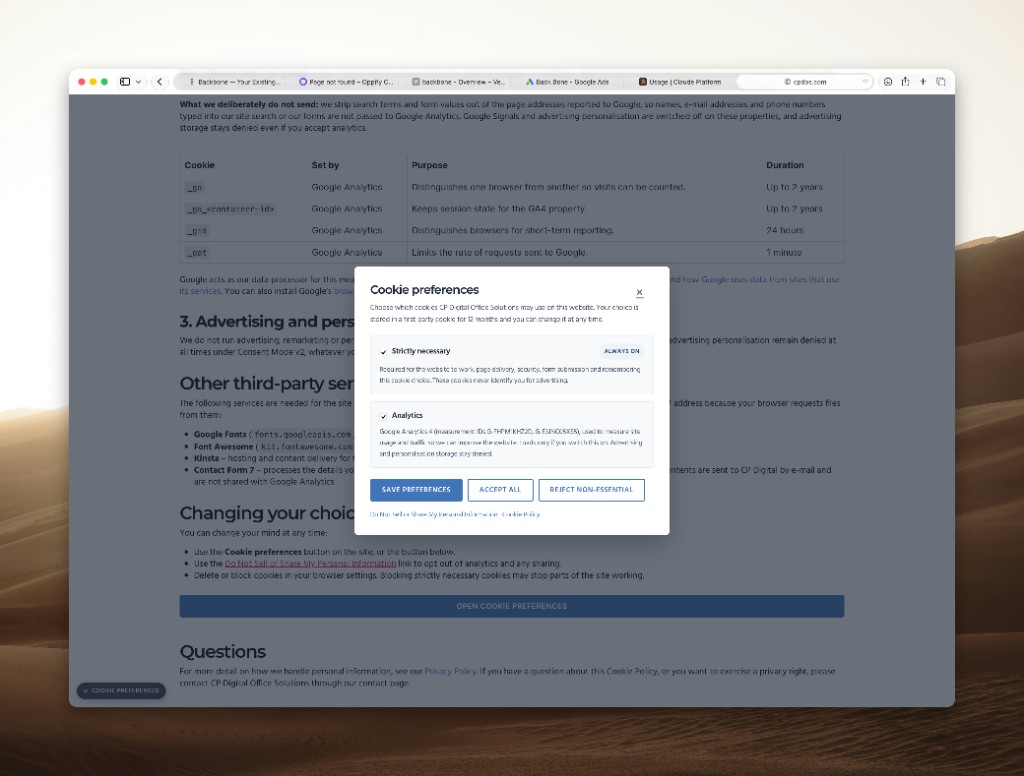
Manage preferences opens a real choice UI on the Cookie Policy page: strictly necessary stays always on, Analytics can be accepted or rejected, and the visitor can change that choice later.
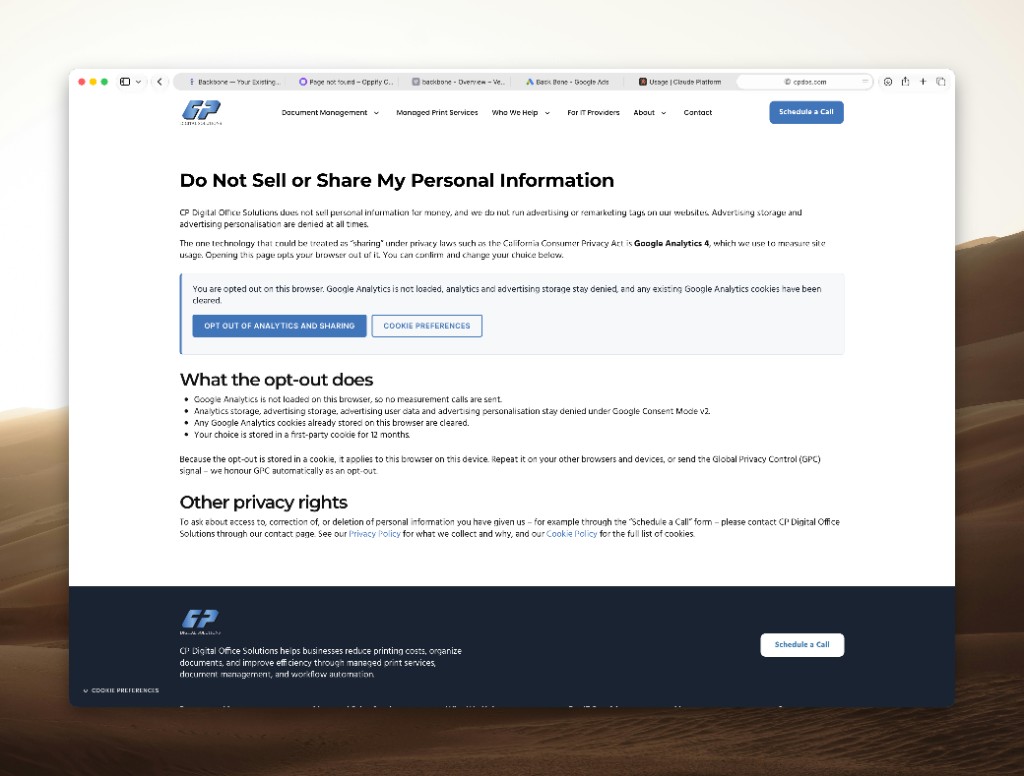
The Do Not Sell or Share page closes the loop for California visitors: opted-out state is visible, Cookie Preferences and Opt Out stay available, and Consent Mode v2 stays denied for ad storage and user-data sale/share signals until the visitor changes that choice.
The change went through Backbone's Managed loop: describe the outcome, preview on a real copy of the site, approve, publish. When it was done, the UI said the quiet part out loud — live on production, with the live links active.
What agencies should take from this
Insurance and privacy work is retainer work. It will keep showing up as scanners tighten and clients renew policies.
Treat it like any other production-sensitive change:
- Describe the outcome in plain language
- Preview on a real copy of the WordPress site
- Approve before anything publishes
- Keep rollback available if a plugin fights the banner
You are not removing Analytics. You are making it honest.
Soft next step
If your agency is drowning in compliance and "quick fix" tickets, the bottleneck is usually the review loop — not whether a developer can write a cookie banner.
Start a free agency trial or read how agencies handle WordPress change requests without burning margin.
Ready to try the review loop on a real site?
Start a free agency trial, or go back to the blog index.